Integration
n8n Integration
Connect FindMyClient.org with n8n using the built-in HTTP Request node.
This integration is lightweight, flexible, and does not require a custom n8n community node. Since the FindMyClient API is REST-based, n8n can interact with it directly using standard HTTP requests.
Workflow Overview
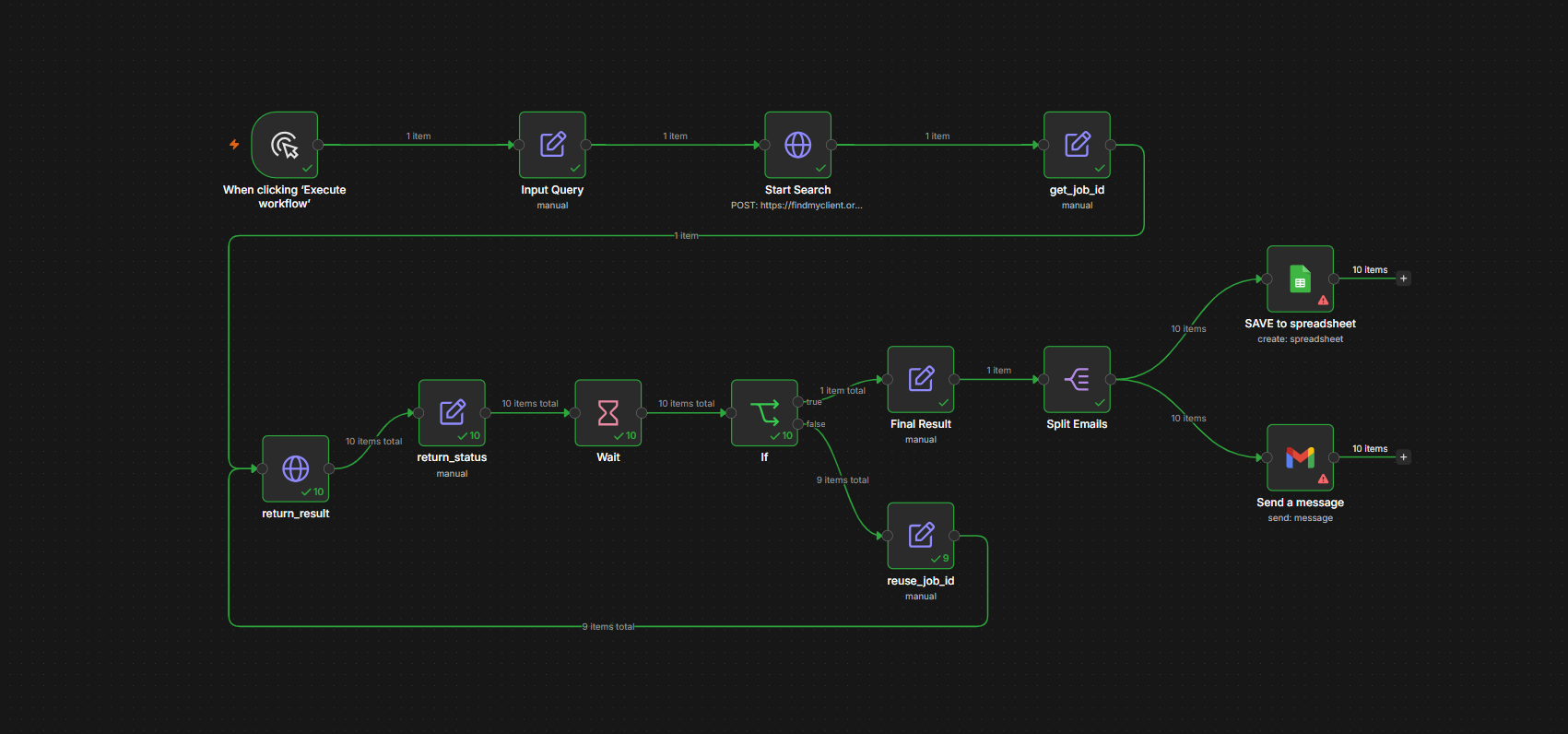
The workflow:
- Accepts a search query.
- Starts a FindMyClient search job.
- Retrieves the generated
job_id. - Polls the API until the search is completed.
- Extracts discovered emails.
- Splits emails into individual records.
- Optionally:
- Save results to Google Sheets
- Send emails via Gmail
Community Workflows
Browse the community-maintained collection of FindMyClient workflows, templates, and examples.
Discover, download, contribute, or share your own automation workflows with the community.
Prerequisites
Before using this workflow:
- n8n installed
- FindMyClient API token
- Optional Google Sheets credentials
- Optional Gmail credentials
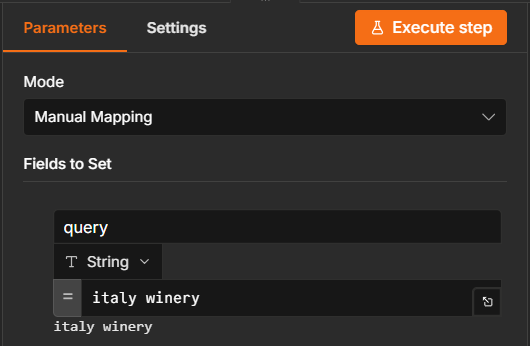
Configure Search Query
Add a Edit Fields (Set) node and input the search keyword.
Start Search Job
Add a HTTP Requests node and set the parameters.
Method
URL
Headers
Name
Value
Name
Value
Body Parameters
Name
Value
Store Job ID
Add a Edit Fields (Set) to store job_id.
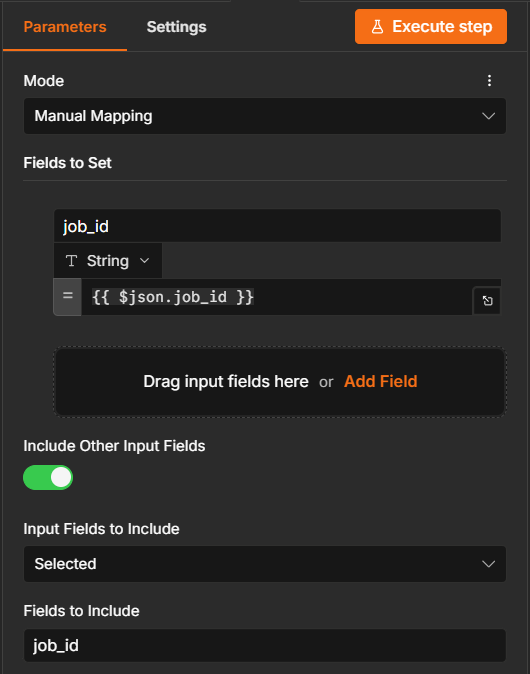
This ID is used for polling search progress.
Poll Search Status
Add a HTTP Requests node and set the parameters.
Method
URL
Returned responses:
Processing
Completed
{
  "status": "completed",
  "result": {
    "output": {
      "emails": [
        "info@example.com",
        "sales@example.com"
      ]
    }
  }
}
Wait and Retry
use Wait node and set the parameters.
If the status is not:
The workflow:
- Waits 30 seconds
- Reuses the existing
job_id - Checks the API again
This creates a polling loop until the search finishes.
Extract Results
When completed:
{
  "result": {
    "output": {
      "emails": [
        "info@example.com",
        "sales@example.com",
        "contact@example.com"
      ]
    }
  }
}
The workflow stores:
Split Emails
The Split Emails node converts:
Into:
This allows downstream processing of each email individually.
Optional: Save to Google Sheets
The workflow includes a disabled Google Sheets node.
Example spreadsheet:
| info@example.com |
| sales@example.com |
| contact@example.com |
Enable the node and configure your spreadsheet credentials.
Optional: Send Email Notifications
The workflow includes a disabled Gmail node.
Possible use cases:
- Notify sales teams
- Send discovered leads
- Trigger CRM imports
- Alert automation systems
Enable the Gmail node and configure OAuth credentials.
API Endpoints Used
Start Search
Request:
Response:
Get Results
Response:
Customization Ideas
Dynamic Queries
Replace the Set node with:
- Webhook Trigger
- Form Submission
- Google Sheets Input
- Airtable Input
Example:
CRM Integration
After Split Emails, connect to:
- HubSpot
- Salesforce
- Pipedrive
- Zoho CRM
Lead Enrichment
After collecting emails, enrich contacts using:
- Apollo
- Clearbit
- Clay
- Custom APIs
Error Handling
Common scenarios:
| Scenario | Action |
|---|---|
| Search still processing | Wait and retry |
| Empty result set | End workflow |
| Invalid API token | Update credentials |
| API timeout | Retry request |
| Network failure | Use n8n retry logic |
Example End-to-End Flow
Input:
Output:
The workflow automatically handles:
- Job creation
- Polling
- Status checking
- Email extraction
- Record splitting
- Export and notification steps
making it suitable for automated lead generation pipelines.